Microsoft Copilot for Small Businesses: The Complete Guide to Working Smarter With AI
🤝 Microsoft Copilot for Small Businesses: The Complete Guide to Working Smarter With AI
How Small Businesses Can Save Time, Improve Productivity, and Get More Value from Microsoft 365.
🚀 In This Guide
Introduction
For most small business owners, time is their most valuable asset. Yet many hours are consumed by emails, meetings, document creation, data analysis, and administrative tasks that don't directly generate revenue.
As information volumes continue to grow, artificial intelligence offers new opportunities to increase efficiency. However, many business owners still struggle with one important question: How do you actually use AI in everyday work?
That's where Microsoft Copilot stands out. Unlike standalone AI tools that require separate applications and workflows, Copilot integrates directly into the Microsoft applications businesses already use daily.
🚀 What Is Microsoft Copilot?
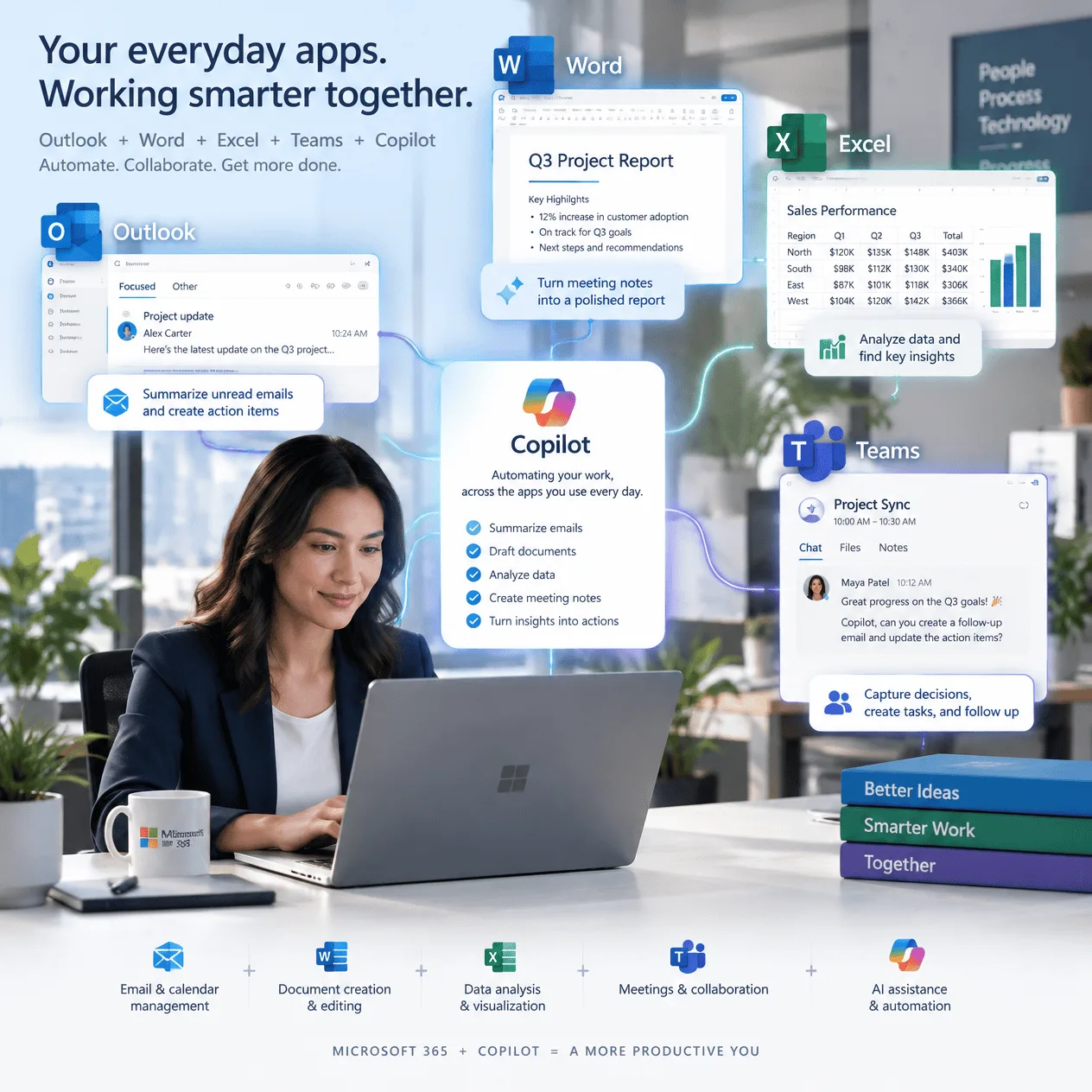
Microsoft Copilot is an AI-powered assistant built into Microsoft's business ecosystem. Rather than operating as a separate application, Copilot appears directly inside the software many organizations use every day.
📧 Outlook
Email drafting, summaries, and responses.
📄 Word
Document creation, editing, rewriting, and summarization.
📊 Excel
Data analysis, formula assistance, and reporting.
🎥 Teams
Meeting recaps, action items, and discussion insights.
📋 PowerPoint
Presentation content generation and slide creation.
🌐 Edge & Microsoft 365
Research assistance and productivity support.
🤔 Why Microsoft Copilot Is Different
The AI market is crowded with productivity tools. Unfortunately, many require users to leave their normal workflow and learn new systems.
Traditional Workflow
- Read emails manually
- Take meeting notes
- Analyze data manually
- Write reports from scratch
- Create presentations separately
Copilot Workflow
- Summarize emails automatically
- Generate meeting notes
- Analyze spreadsheets instantly
- Draft reports quickly
- Create presentation content faster
By staying inside Microsoft's ecosystem, Copilot reduces friction and improves adoption throughout the business.
📊 The Productivity Challenge Facing Small Businesses
Many modern organizations are experiencing what Microsoft calls digital debt. The amount of information employees process each day often exceeds their ability to manage it efficiently.
Employees spend large portions of their day:
- 📧 Managing inboxes
- 📅 Attending meetings
- 📊 Preparing reports
- 📝 Summarizing information
- 🔍 Searching for data
These activities are necessary, but they often prevent employees from focusing on innovation, customer service, strategy, and business growth.
📧 Microsoft Copilot in Outlook
Email management remains one of the largest drains on productivity. Copilot helps reduce this burden with intelligent assistance.
✍️ Email Drafting
Copilot can generate professional emails in seconds while adjusting the tone, length, audience, and purpose.
📌 Email Summaries
- ✅ Key decisions
- ✅ Important questions
- ✅ Outstanding actions
- ✅ Next steps
⚡ Suggested Responses
Routine communication becomes faster through AI-generated reply suggestions.
📄 Microsoft Copilot in Word
Creating proposals, reports, marketing content, and business plans can consume countless business hours.
Drafting New Content
Provide a simple instruction such as: "Create a proposal for a website redesign project." Copilot generates a structured first draft within seconds.
Editing & Rewriting
- ✅ Rewrite paragraphs
- ✅ Improve readability
- ✅ Simplify language
- ✅ Adjust tone
- ✅ Shorten lengthy sections
Summarization
Large reports, proposals, and policy documents can be summarized quickly to save valuable time.
📊 Microsoft Copilot in Excel
Excel is one of the world's most powerful business applications, yet many users only use a fraction of its capabilities.
Data Analysis
Business owners can ask natural-language questions such as:
- What were my best-selling products last quarter?
- Show sales trends by month.
- Which customer segment generated the most revenue?
Formula Assistance
Copilot can generate formulas, explain calculations, and reduce spreadsheet complexity for non-experts.
Report Generation
Instead of manually reviewing thousands of rows, Copilot helps identify trends, anomalies, and key findings.
🎥 Microsoft Copilot in Teams
Meetings are essential but often time-consuming. Copilot helps ensure every meeting produces actionable results.
✅ Meeting Summaries
- Topics discussed
- Decisions made
- Key takeaways
- Follow-up actions
✅ Action Item Tracking
Copilot identifies responsibilities and accountability items automatically.
✅ Discussion Analysis
Users can ask questions about discussions without manually reviewing recordings.
👩💼 How Different Business Roles Use Copilot
Business Owners
Review reports, draft communications, analyze business performance, and prepare presentations.
Sales Teams
Research prospects, generate proposals, summarize conversations, and draft follow-ups.
Marketing Teams
Create blogs, campaigns, reports, presentations, and customer communications.
Operations Managers
Monitor projects, review metrics, track workflows, and generate updates.
🧠 How AI Is Changing Knowledge Work
AI is evolving beyond simple task automation. Increasingly, it assists with problem-solving, information analysis, evaluation, and creative thinking.
This shift allows leaders and employees to dedicate more energy to strategic decisions rather than repetitive administrative work.
🔒 Security and Data Protection Considerations
Before implementing AI solutions, businesses should evaluate:
- Data privacy
- Compliance requirements
- Access controls
- Information governance
- Regulatory obligations
Organizations should also establish internal policies regarding acceptable use, human review, employee training, and responsible data sharing.
💰 Is Microsoft Copilot Worth the Investment?
Businesses that manage large quantities of emails, meetings, reports, spreadsheets, and customer documentation are often the strongest candidates for Copilot.
✅ Best Practices for Implementing Copilot
Start Small
Focus initially on one area such as email management or meeting summaries.
Train Employees
Provide practical examples and encourage experimentation.
Create Usage Guidelines
Establish expectations around privacy, quality control, and human review.
Measure Results
Track productivity gains, employee satisfaction, and time savings.
Frequently Asked Questions
❓ Do I need technical expertise to use Copilot?
No. Microsoft Copilot is designed for everyday business users, not technical specialists.
❓ Can Copilot replace employees?
Generally no. Copilot functions as a productivity assistant that supports human work rather than replacing it.
❓ Does Copilot work with existing Microsoft 365 applications?
Yes. Deep integration with Microsoft 365 is one of its strongest advantages.
❓ What types of businesses benefit most?
Consultants, agencies, retailers, service firms, financial businesses, and most knowledge-based organizations can benefit significantly.
🚀 Ready to Get Started?
Artificial Intelligence is transforming the modern workplace, and Microsoft Copilot provides a practical way to bring AI into daily business operations.
Start by identifying one repetitive task that consumes too much time each week. Then explore how Copilot can automate, streamline, or simplify that process.
Small productivity improvements today can create significant business advantages tomorrow.
Rate this article
Average rating: 5.0 / 5 from 2 votes.
Comments (0)