Key takeaways
- An AI productivity system is a repeatable workflow, not a list of apps.
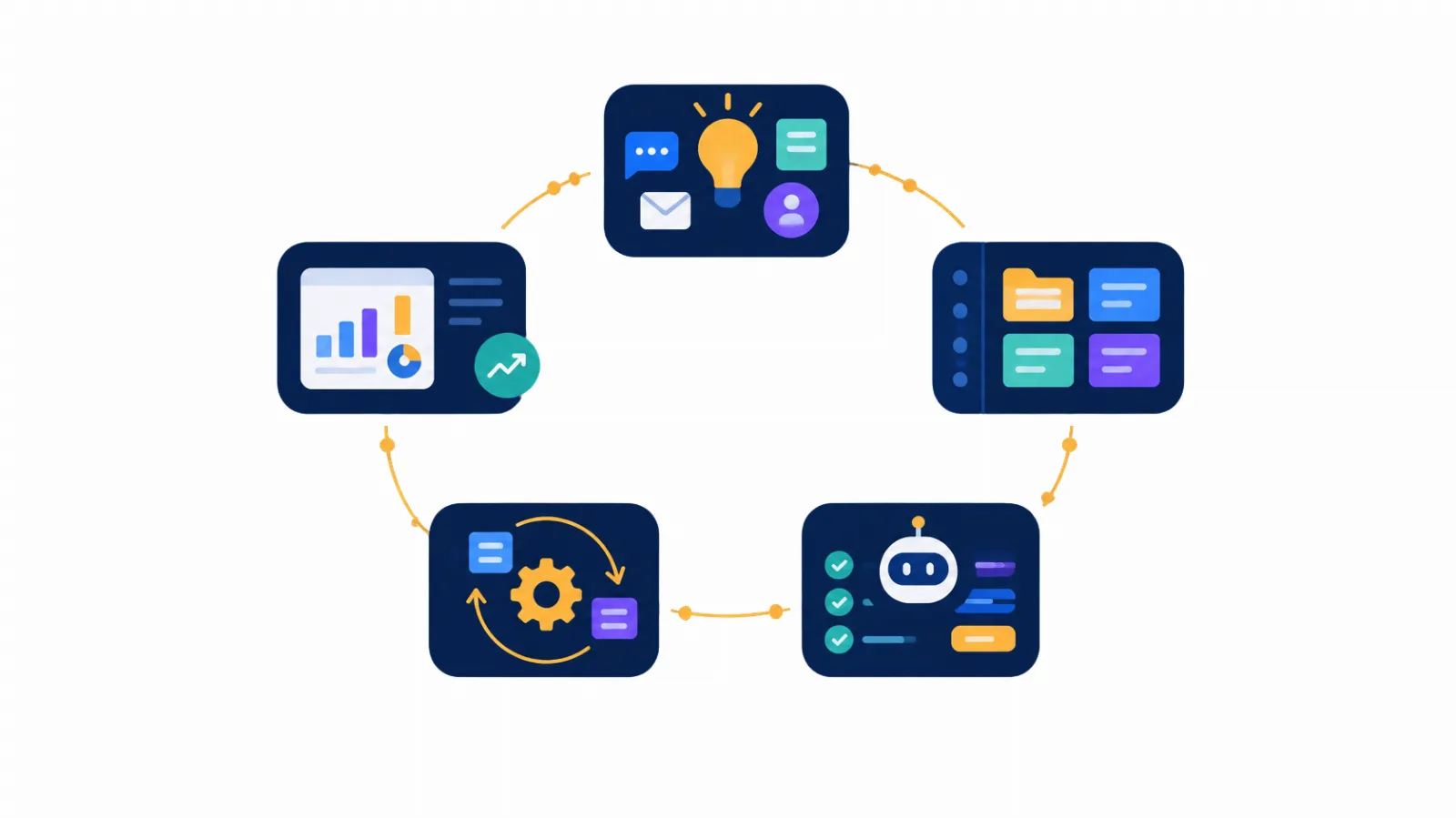
- Five layers cover it: capture, organize, execute, automate, review.
- Start with one assistant, one task manager and one notes space. Add tools only when a real bottleneck appears.
- You can have a working version in 30 days, spending about 30 minutes a day.
Why a system beats a tool
Trying a new AI tool feels productive. The problem is what happens next: your notes live in one app, your tasks in another, and the prompts that worked last Tuesday are lost in a chat history. Every tool saves a little time, and switching between them quietly takes it back.
A system fixes this by deciding in advance where work comes in, where it lives, how AI helps with it, and how you check that it is working. The tools become interchangeable parts. If a better assistant launches next quarter, you swap it in without rebuilding your habits.
For a small business, this matters more than it does for a large company. You do not have an operations team to enforce process, so the process has to be simple enough to survive a busy week.
Layer 1: Capture
Every idea, request and to-do goes to one place, fast.
- Voice notes
- Meetings
- Quick thoughts
Productivity breaks down first at the point of entry. If requests arrive through email, chat, calls and sticky notes, you will always be unsure what you have forgotten. Choose one capture point, such as an inbox list in your task manager, and send everything there.
AI helps by turning messy input into clean tasks. Record a voice memo after a client call, transcribe it, and ask your assistant to extract action items with owners and deadlines.
Layer 2: Organize
One structure that you and your AI assistant can both understand.
- Projects
- Clients
- Knowledge base
- Templates
Create a single workspace with four sections: Clients, Projects, Operations (your SOPs and policies) and Prompts (your best instructions). Name things consistently, because consistent names make search, and AI retrieval, far more reliable.
The Prompts section is the one most people skip, and it pays back fastest. Whenever a prompt gives you a result you would use again, save it with a short note on when to use it. Within a month you will have a personal library that saves you from starting from a blank page.
Layer 3: Execute
Let AI produce the first draft. You supply judgment.
- Writing
- Research
- Summaries
- Analysis
This is where most of the daily time savings happen. The pattern that works best is simple: give the AI context, ask for a draft, then edit. Never ask it to decide for you on anything involving money, legal commitments or client relationships.
Give context every time
Good output depends on good input. A useful prompt names the role, the audience, the goal and the format.
Rule of thumb
If a task takes you more than 15 minutes and follows a pattern, try AI for the first draft. If it takes two minutes, just do it yourself.
Layer 4: Automate
Once a task is predictable, remove yourself from it.
- Triggers
- Routing
- Reminders
- Reports
Automation is the last layer for a reason. Automating a messy process only makes the mess faster. Once you have done a task manually and well several times, write down the steps and look for the ones that never need your judgment.
Good first candidates include sending a welcome email when a form is submitted, saving email attachments to the right folder, creating a task from a flagged message, and producing a weekly summary of sales or support requests. Connect these with the automation features built into your existing tools, or a no-code connector if you need to link separate apps.
Keep a human checkpoint on anything customer-facing until you trust the output.
Layer 5: Review
Fifteen minutes a week keeps the system honest.
- Time saved
- Quality
- Cost
- Next experiment
Systems drift. Tools you stopped using still bill you, and prompts that once worked start returning weaker results. A short weekly review keeps things sharp. Ask four questions:
- Which tasks did AI help with this week, and roughly how much time did it save?
- Where did I have to fix or redo the output?
- What did I do manually more than twice that could be a template or an automation?
- Is any subscription not earning its place?
Write the answers down. After a month, the pattern tells you exactly where to invest next.
Choosing your stack
You need far fewer tools than you think. Pick one for each role and resist adding more until you hit a clear limit. Many businesses already own most of what they need through an existing Microsoft 365 or Google Workspace subscription, so check there first.
| Role | What it does | Examples to consider |
|---|---|---|
| AI assistant | Drafting, research, summaries, analysis | ChatGPT, Microsoft Copilot, Claude |
| Task manager | One list of what needs to happen and when | Todoist, Microsoft To Do, Asana, Trello |
| Notes and knowledge | Your workspace, SOPs and prompt library | Notion, OneNote, Obsidian, Google Docs |
| Meeting capture | Recording and transcribing calls | Teams or Zoom transcripts, Otter, Fireflies |
| Automation | Connecting apps and removing repeat work | Zapier, Make, Power Automate |
Prices and free tiers change often, so check each vendor’s current plans before you commit. Our guide to ChatGPT vs Microsoft Copilot will help you choose the assistant, which is the decision that matters most.
A sample day with the system running
Here is what the layers look like in practice for a solo consultant. Your own day will differ, but the rhythm is the point.
- 8:30 PlanOpen your task list. Ask your assistant to propose a schedule for the day from your tasks and calendar, then adjust it.
- 9:00 Focus blockDo the one task that matters most. Use AI to draft the outline or first section, then write the rest yourself.
- 11:00 Client callRecord the meeting. Afterwards, run your meeting-to-tasks prompt and send the tasks to your inbox list.
- 1:30 CommunicationClear email in one batch. Use AI for first-draft replies to routine messages and review each before sending.
- 4:30 Close outProcess your inbox list, save any new prompt that worked well, and set tomorrow’s top priority.
- Friday: ReviewRun the 15-minute weekly review and pick one thing to improve next week.
Mistakes to avoid
Common pitfalls
- Tool hopping. Give any new tool at least two weeks before judging it.
- Pasting sensitive data. Check your tool’s privacy settings and never paste client confidential, financial or personal data into a service you have not vetted.
- Publishing without review. AI can state wrong facts confidently. Verify numbers, names and claims.
- Automating too early. If you cannot describe the manual process, you are not ready to automate it.
- Skipping the review. Without it, the system slowly stops matching how you actually work.
Your 30-day rollout
Build one layer at a time. Rushing all five at once is how systems get abandoned by day ten.
Week 1
- Pick your capture point
- Choose one AI assistant
- Capture everything for five days
Week 2
- Set up your workspace
- Start the prompt library
- Move active projects in
Week 3
- Use AI drafts for three recurring tasks
- Save the prompts that work
- Note the time you save
Week 4
- Automate one repeat task
- Run your first weekly review
- Cancel one unused tool
Frequently asked questions
How much does an AI productivity system cost?
You can start for free or close to it. Most assistants, task managers and note apps offer free tiers. Paid plans usually become worthwhile once you hit usage limits or need features such as team sharing and integrations.
Do I need technical skills?
No. Everything in this guide works with ordinary business software. Automation tools use visual builders rather than code.
What if I work with a team?
Use the same framework, but agree on one shared capture point and one shared prompt library. Write short rules on what data may be used with AI tools.
How long until I see results?
Many people notice time savings within the first two weeks, mainly from drafting and meeting follow-ups. The larger gains from automation and a good prompt library usually take about a month.
Keep building your AI foundation
This article is part of our Startup AI Playbook. Continue with the pillar guide, or compare the two most popular assistants before you choose yours.
Read the Startup AI Playbook ChatGPT vs Copilot
Comments (0)